AquisNet DMO

|
New assignment of an error code to an error code group |
Scroll
 | |
|
▪First select the error code group in the tree view to which you want to add one or more error codes.
▪The error codes of the selected error code group are listed in table form in the right-hand window. The respective error code text and the designation are displayed, but not the internal numerical code.
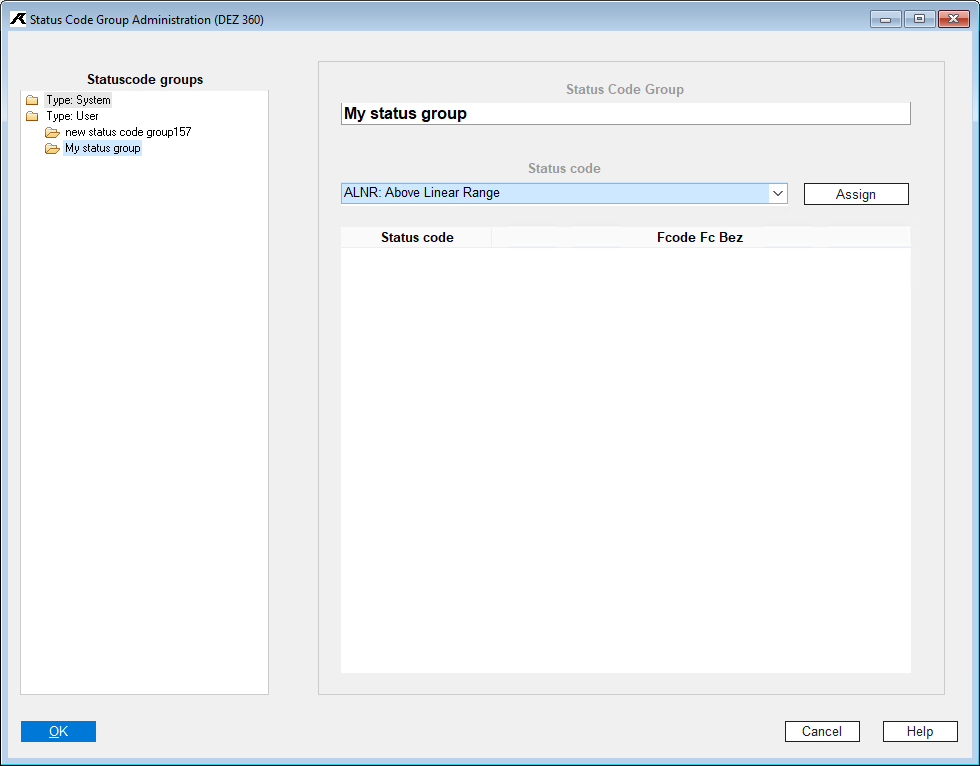
▪Now open the drop-down list box above the table display (Status code section).
▪You can now select the desired new status code from this list.
▪By clicking the [Assign] button, the preselected status code is assigned to the status code group and is displayed in the table display.
▪To assign one or more additional status codes, repeat the process as necessary.
▪When leaving the dialog or selecting another status code group, the system displays a control dialog. Here you can confirm your entries and thus save or discard them.
▪Only then the system proceeds to the next action.